Viewing Events in your Dashboard
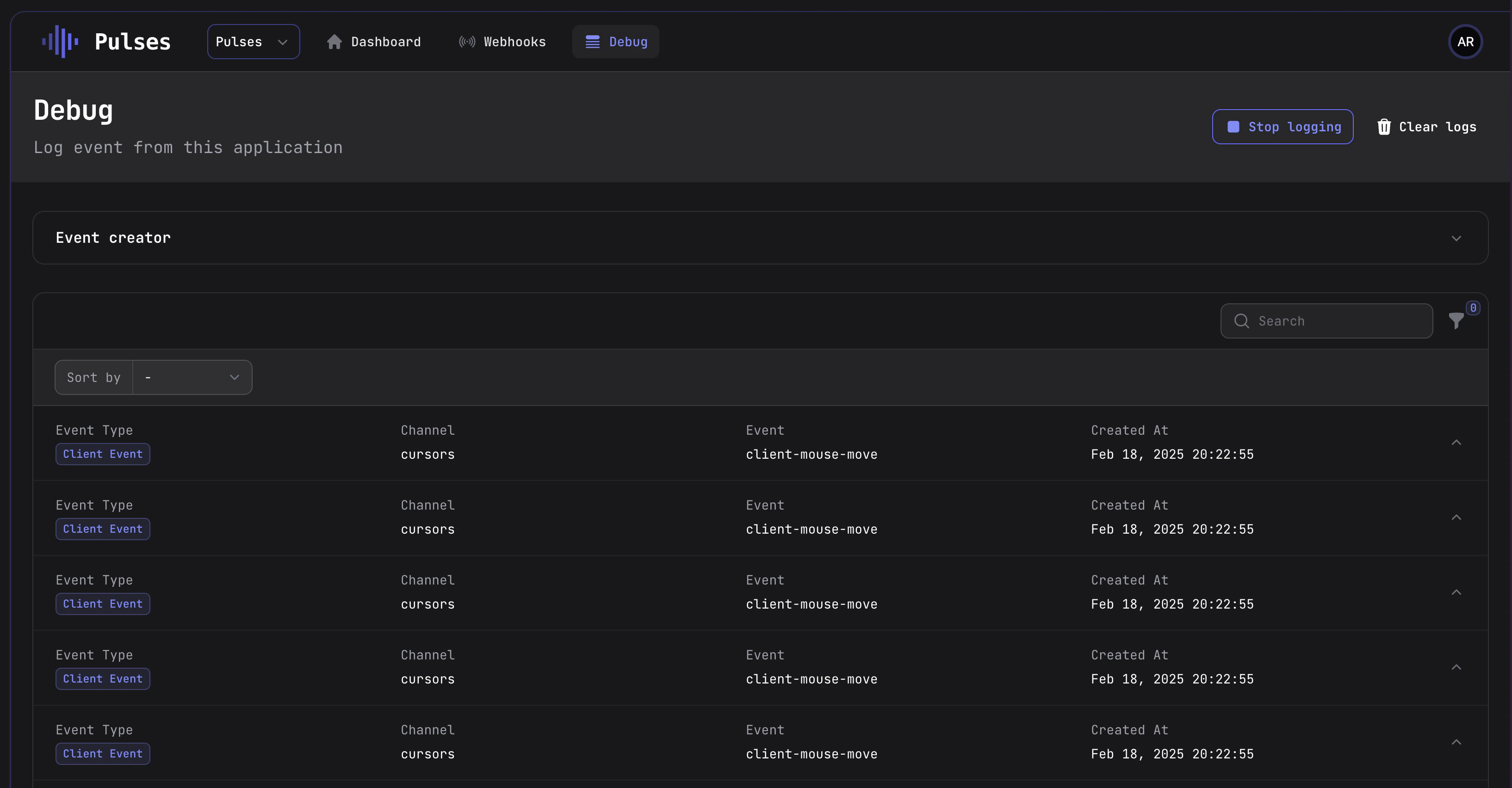
To view events in the Pulses dashboard, follow these steps:- Go to the Pulses dashboard.
- Click on the Debug tab.
- Start logging by clicking on the Start Logging button.
Sending test events using the Event Creator
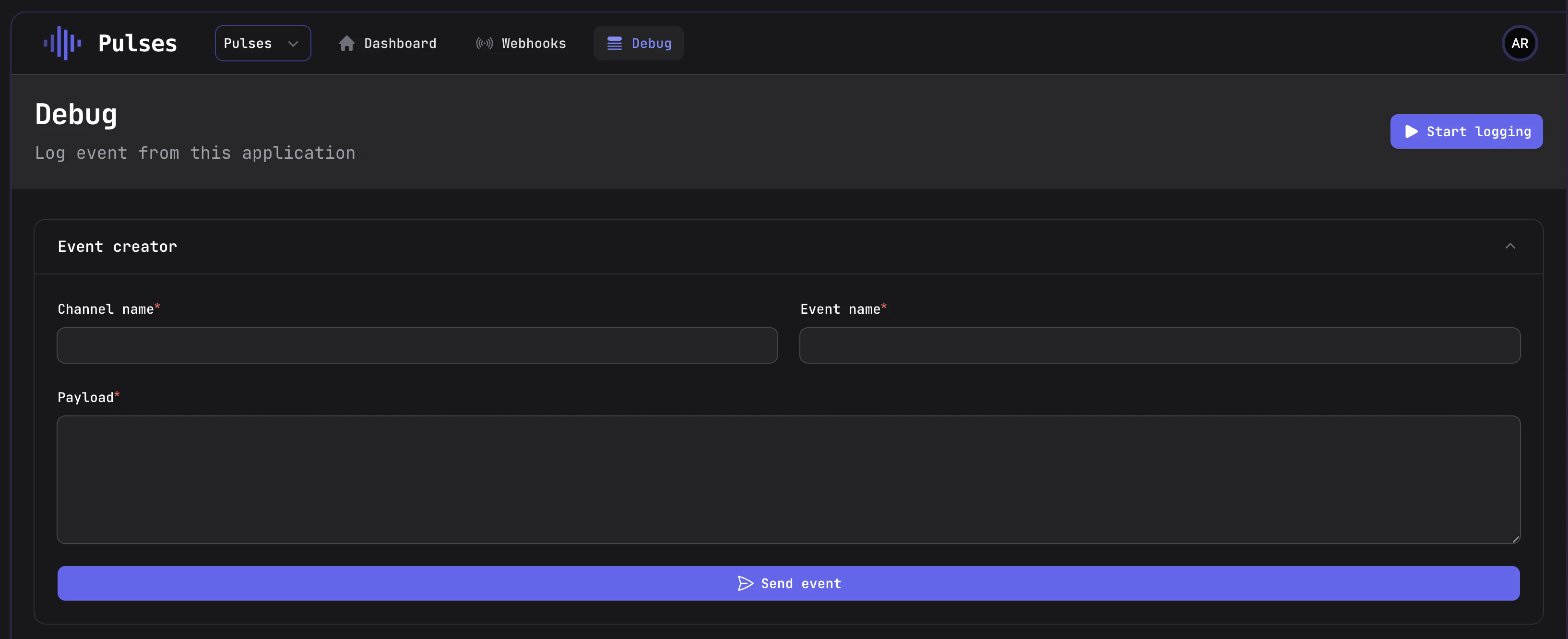
The Event Creator is a tool that allows you to send test events to your application. This feature is particularly useful for testing your application’s features or debugging issues. To send test events using the Event Creator, follow these steps:- Go to the Pulses dashboard.
- Click on the Debug tab.
- Open the Event creator tab.